MCP Server
vfat.io/mcp exposes a remote MCP server at https://mcp.vfat.io/mcp. Connect an AI client to it to look up yield, check portfolios, or prepare position changes on your behalf, without leaving your terminal or chat client.
Connecting
Start with Connect your client on the MCP page: select a client, copy its setup command, and follow the connection check below it. The example conversation shows how to narrow a broad request with a follow-up question. Use Try your first request below setup to copy a starter prompt into your client. Replace [wallet address] with the public address you want to inspect.

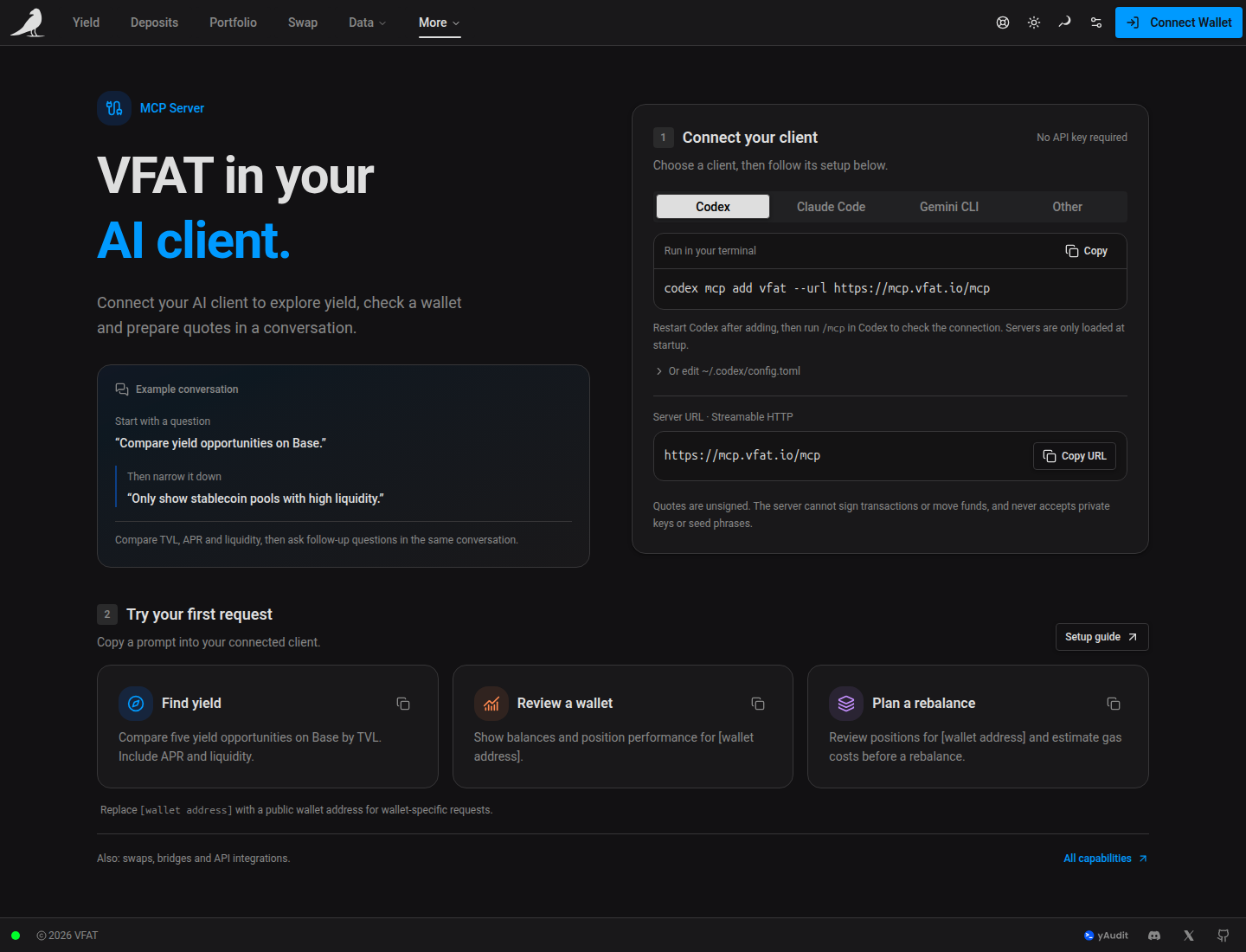
The server uses Streamable HTTP and needs no API key. The /mcp page gives ready-to-run connection snippets for:
- Codex:
codex mcp add vfat --url https://mcp.vfat.io/mcp, or add an[mcp_servers.vfat]block to~/.codex/config.toml - Claude Code:
claude mcp add --transport http --scope user vfat https://mcp.vfat.io/mcp, then run/mcpto confirm the connection - Gemini CLI:
gemini mcp add --transport http --scope user vfat https://mcp.vfat.io/mcp, then rungemini mcp listto confirm - Any other MCP client: add a remote server named
vfatwith Streamable HTTP transport, the URL above, no authentication, and a 60 second tool timeout
What you can ask
- Find yield: compare opportunities by chain, protocol, APR and liquidity
- Track portfolios: check wallet balances, position performance and pool history
- Compare swaps and bridges: get quotes for swaps and transfers between chains
- Plan position changes: prepare deposits, withdrawals and rebalances for review
- Check costs: estimate gas costs and whether automation is worthwhile
- Build with vfat: ask for help with API integrations and code examples
For example: “Compare five yield opportunities on Base by TVL. Include APR and liquidity.”, “Show balances and position performance for [wallet address].”, or “Review positions for [wallet address] and estimate gas costs before a rebalance.”
Safety
Quotes returned by the server are unsigned. The server cannot sign transactions or move funds, and it never accepts private keys or seed phrases. Anything it prepares still has to be reviewed and signed by you in your wallet, the same as using vfat.io directly.